

Passwords get stolen. One-time passcodes get phished. And attackers continue to find new ways to trick even the most cautious users. No matter how much security awareness training organizations provide, phishing attacks still succeed because the root problem isn’t just human error. It’s outdated authentication methods that can no longer keep pace with modern threats.
This widening gap between traditional MFA and today’s sophisticated phishing techniques tells us why Phishing-resistant MFA is rapidly emerging as the new security standard. This article covers everything you need to know about Phishing-resistant MFA, how it works, real-world Phishing-resistant MFA examples, and why it’s becoming the foundation of modern enterprise identity security.
What is Phishing-resistant MFA?
We all have likely heard the term Phishing-Resistant Multi-Factor Authentication (MFA) more frequently and for good reason. And if we look at it today, phishing-resistant MFA is quickly turning into the gold standard, mostly because government mandates and enterprise frameworks are finally making it a top priority.
So, what is phishing resistant MFA? At its core, it’s an authentication approach designed to prevent attackers from successfully using stolen credentials even if users are tricked into clicking malicious links or visiting fake login pages.
Authentication itself answers one basic question: “Are you really who you say you are?” Historically, usernames and passwords handled this task, but passwords have become a liability. They’re hard for users to manage and easy for attackers to steal through phishing websites, keyloggers, malware, or password reuse.
In contrast, Phishing-resistant MFA replaces fragile, shared secrets with cryptographic proof of identity removing passwords entirely or making them irrelevant.
How Does Phishing-resistant MFA Work?
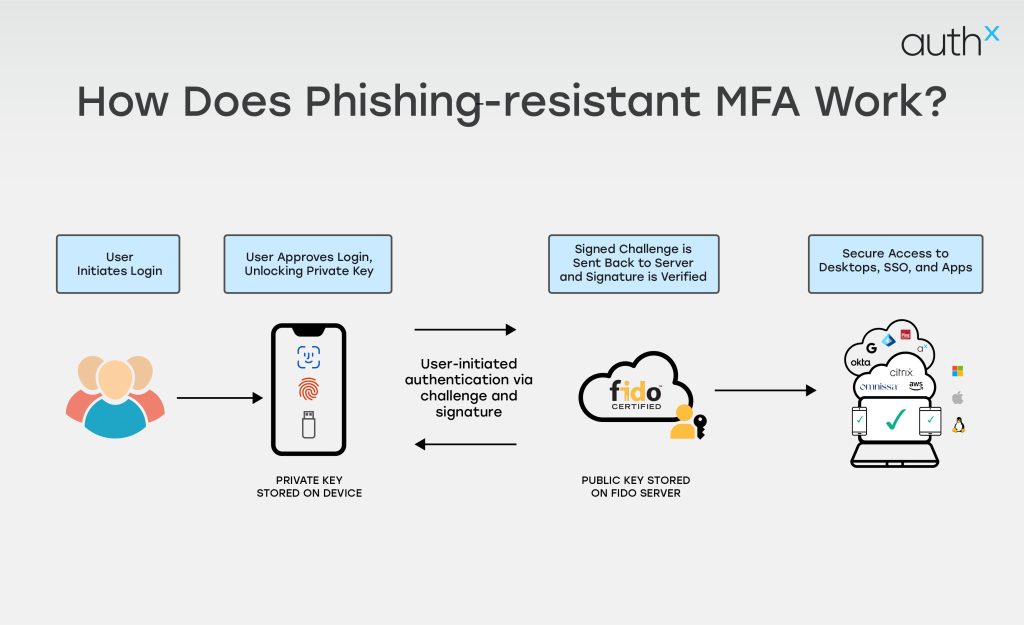
Phishing-resistant MFA uses strong, built-in cryptographic authentication that cannot be intercepted, reused, or redirected.
1. It Binds Authentication to the User’s Device
Phishing-resistant MFA uses cryptographic keys that live securely on a user’s device (like a security key, laptop TPM, or smartphone). These keys never leave the device and cannot be copied or stolen.
2. It Verifies the Website’s Authenticity
Before authenticating, the MFA checks the website or app you’re logging into. If the site is fake and looks identical, it fails automatically. This is one of the biggest reasons attackers cannot trick users into handing over access.
3. No Codes, No Passwords, No Secrets to Steal
Because authentication is cryptographic, there are:
- No SMS codes
- No email OTPs
- No push notifications
- No shared secrets
This means attackers cannot phish, intercept, or replay anything.
4. The Login Requires Physical Presence
Most Phishing-resistant MFA methods require a physical action like:
- Touching a security key
- Using a built-in device biometric
- Confirming presence on a registered device
This prevents remote attackers from completing the login even if they convinced you to click something malicious.
5. It Uses Public-Key Cryptography
During setup, the device creates two keys:
- A private key stored on your device
- A public key stored by the service (Google, Microsoft, etc.)
During login:
- The service sends a challenge
- The device signs it with the private key
- The server verifies it with the public key
Since the private key never leaves the device, it cannot be phished or stolen.
6. Resistant to Real-Time Phishing Attacks
Even modern attacks like:
- Browser-in-the-middle
- EvilProxy
- Session hijacking
- Reverse proxy phishing kits
All the above fail because they cannot replicate cryptographic signing tied to the device and domain.
Phishing-Resistant MFA Components
Phishing-resistant MFA works by combining smarter authentication signals and stronger security methods that attackers can’t easily trick or steal. Below are the key elements that make this modern approach so effective:
1. Hardware tokens
Security keys like FIDO2 keys are really good at keeping people safe. They generate a unique pair of cryptographic keys to make sure the person is who they say they are. This way it is very hard for someone to steal their information.
Biometric Authentication is another way to keep things safe. It uses things like fingerprints or facial recognition to make sure only the right people can get in. There is also something called Certificate-based Authentication. This uses cards or things stored on devices to check if someone is really who they say they are and does not need passwords.
The good thing about these methods is that they are connected to devices or things that are unique to each person. This means that it is very hard for someone to pretend to be them. Even if someone gets a password these methods are still very good, at keeping things safe. Security keys, Biometric Authentication and Certificate-based Authentication are all very reliable.
2. Risk-Based (Adaptive) Authentication
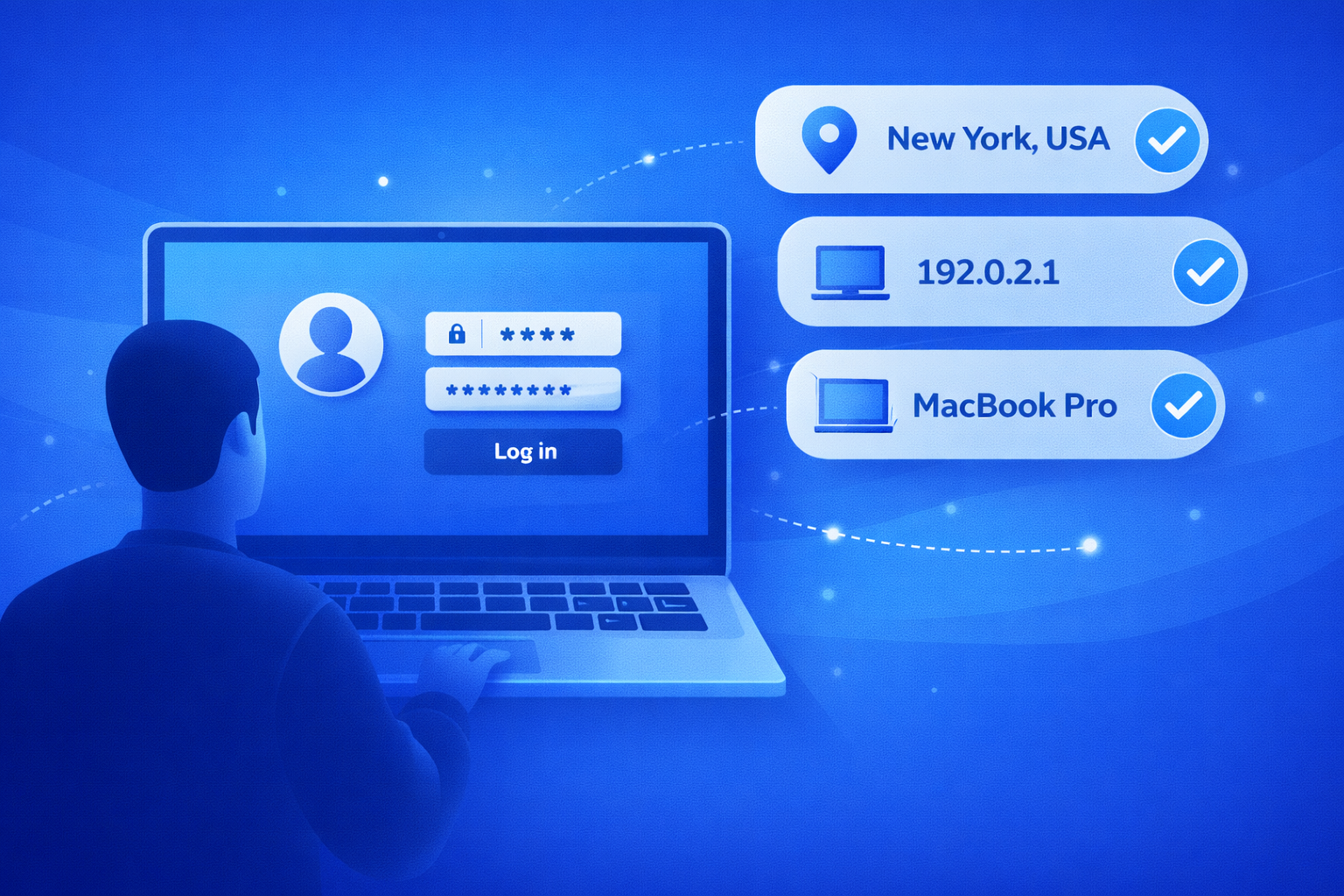
With Phishing-resistant MFA, every login attempt is evaluated for risk. Instead of treating every user the same, the system analyzes real-time context, including:
- Login location, time, IP address, and frequency.
- Device security posture (updates, antivirus, settings).
- Session behaviour compared to past activity.
- Device fingerprinting based on OS, browser, and apps.
If something looks unusual such as a login from a new device or unexpected location, the system automatically triggers additional verification steps. This stops attackers who rely on stolen credentials or automated tools.
3. Behavioral Analysis for Smarter Protection
Attackers don’t move like real users. That’s why modern MFA solutions monitor behavior such as typing rhythm, mouse movement, and browsing patterns. If the system detects bot-like actions or unusual navigation:
- It immediately raises the risk score.
- The user is asked for extra verification.
- Suspicious activity may be blocked in real time.
This helps catch compromised accounts before the attacker gains full access.
4. Strong Encryption and Secure Communication
Security doesn’t stop after the login starts. To keep your data safe throughout the process, Phishing-resistant MFA relies on:
- End-to-end encryption to protect credentials and tokens.
- Mutual TLS to confirm both the user and the server are legitimate.
- Modern security protocols like OAuth 2.0 and OpenID Connect with PKCE.
These safeguards keep attackers from intercepting or manipulating login data.
5. Continuous Monitoring and Fast Incident Response
Phishing-resistant MFA isn’t a one-time fix; it works alongside your entire security ecosystem. Leading solutions continuously:
- Review authentication logs for strange activity.
- Share data with SIEM tools to enhance threat intelligence.
- Trigger automated alerts and account isolation during suspected attacks.
This allows teams to react quickly, drastically limiting the scope of any attempted breach.
Phishing-prone Authentication Methods to Avoid
When you’re choosing an authentication method for your app, website, or platform, it’s important to recognize that some approaches are naturally more prone to phishing. Avoiding these can save you from serious security headaches later.
Below listed are a few Phishing-prone methods to avoid:
1. Passwords alone
Traditional passwords are the weakest link. They depend completely on the user’s ability to create and protect a unique combination of characters. If an attacker successfully tricks someone into handing it over, the account is instantly compromised. No extra barriers. No second chances.
2. One-time passwords (OTPs)
OTPs improve on static passwords by giving users a code they can only use once. But they’re still far from safe. Attackers can intercept OTPs through SIM swapping, fake login pages, or man-in-the-middle (MITM) attacks. So, while OTPs feel secure, they’re still very phishable.
3. Push notifications
Push-based authentication adds convenience, but it isn’t immune to threats. Attackers can mimic push flows, redirect users, or flood devices with approval prompts in what’s known as MFA fatigue or “push bombing.” When users get overwhelmed with prompts, they may accidentally approve a fraudulent login.
The Problem with Traditional MFA
Traditional MFA was once considered a strong security upgrade but today, it’s no longer enough. While it does add an extra layer of protection beyond passwords, many of the methods it relies on are still vulnerable to modern attacks.
Here’s why traditional MFA falls short:
1. Vulnerable to Phishing
SMS codes, email links, and even push notifications can be easily tricked out of users through phishing. Attackers simply create a fake login page, capture the MFA code, and log in instantly.
2. Susceptible to SIM Swapping and Interception
SMS-based MFA depends on your phone number, which can be hijacked through SIM swapping. Once attackers take over your number, every MFA code goes straight to them.
3. Push Fatigue Attacks
Attackers bombard users with endless push approvals until they accidentally or out of frustration hit “Accept.” This tactic, known as MFA fatigue, is now used in many high-profile breaches.
4. Not Built for Zero Trust
Traditional MFA verifies the user only once. After that, access is mostly trusted for the rest of the session a weakness in a world where continuous verification is becoming essential.
Phishing-resistant MFA Examples
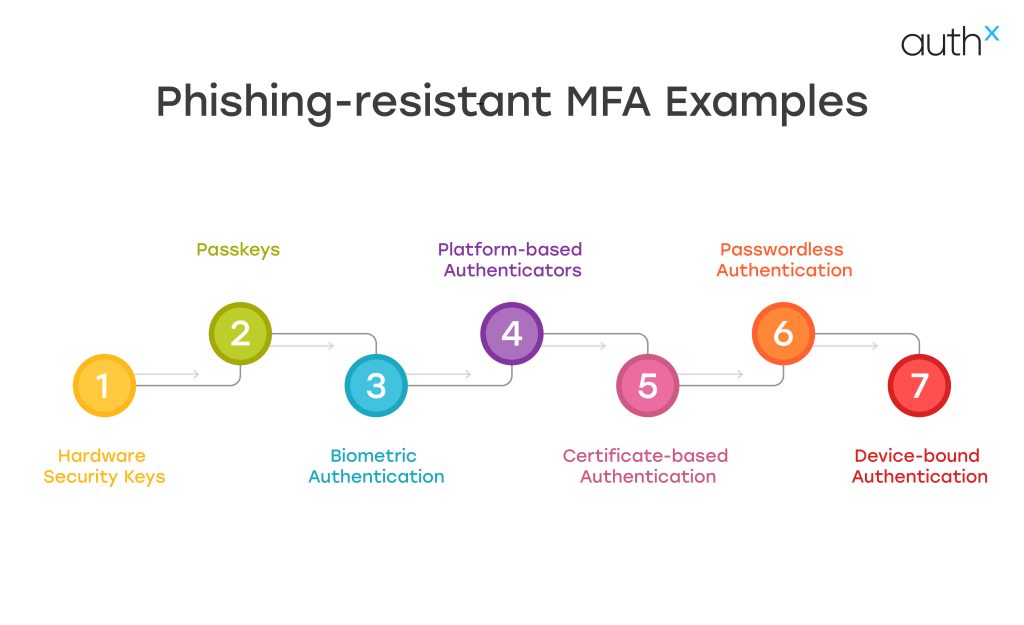
Below highlighted are a few common Phishing-resistant MFA examples
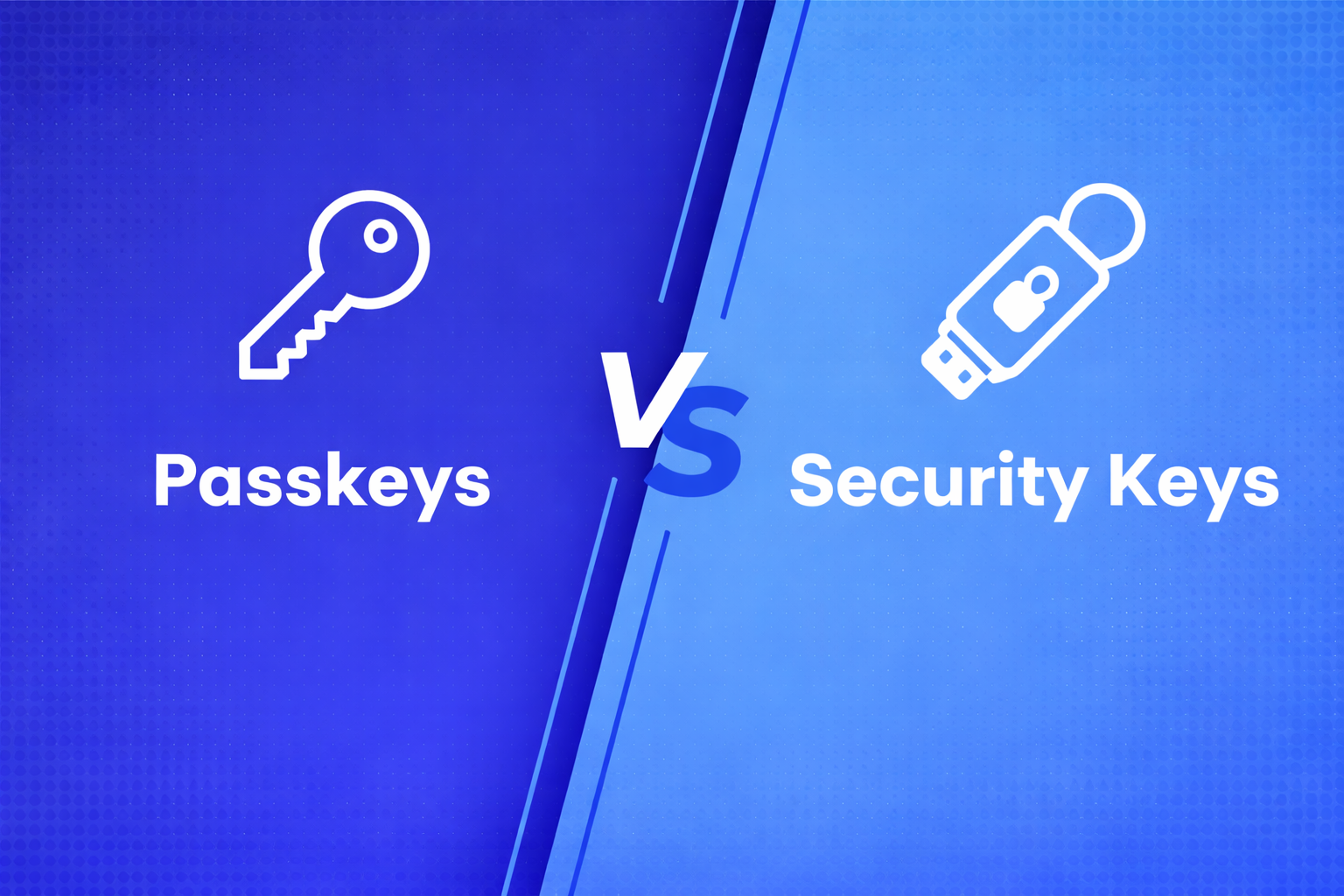
1. Hardware Security Keys & Passkeys
Hardware security keys and Passkeys are among the most widely adopted forms of phishing-resistant MFA. They rely on public-key cryptography instead of passwords or one-time codes, making them extremely difficult for attackers to intercept or reuse.
A hardware security key is a small physical device (often USB, NFC, or Bluetooth enabled), that a user taps or inserts into their device to confirm their identity. Passkeys work similarly but are stored securely on a trusted device such as a smartphone, laptop, or hardware key.
2. Platform-based Authenticators
Built-in device authenticators on laptops and smartphones (such as Biometric or device PIN–backed keys) that securely verify identity without passwords or one-time codes.
3. Biometric Authentication
Biometric Authentication (Fingerprint or facial recognition) used in combination with device-bound cryptographic keys, ensure authentication cannot be transferred or intercepted. used in combination with device-bound cryptographic keys, ensuring authentication cannot be transferred or intercepted.
4. Certificate-based Authentication
Digital certificates stored securely on devices or smart cards that verify user identity through public-key cryptography rather than shared secrets.
5. Passwordless Authentication
Passwordless Authentication flows eliminate passwords and OTPs, relying instead on cryptographic challenges tied to the user’s device and the legitimate domain.
6. Device-bound Authentication
Authentication methods that confirm both the user and the trusted device before granting access, blocking attackers even if credentials are exposed.
Benefits of Phishing-resistant MFA
In Q1 2025 alone, security researchers detected more than 1,003,924 phishing attacks. This highlights that phishing campaigns continue to grow at an alarming pace.
Attackers are getting smarter, techniques are becoming more sophisticated, and traditional authentication methods just can’t keep up.
To stay ahead, organizations need stronger protection. That’s where Phishing-resistant MFA makes a meaningful difference. Instead of relying on outdated methods like SMS codes or passwords which hackers can easily trick users into giving up this modern approach closes the gaps created by human error and legacy systems.
While shifting to Phishing-resistant MFA may require more effort upfront, the long-term payoff is undeniable: stronger security, fewer breaches, and far greater peace of mind.
How to Implement Phishing-resistant MFA?
Below is how you can implement Phishing-resistant MFA:
1. Evaluate Your Present Authentication Environment
Begin by assessing:
- Where passwords are still in use?
- Which apps use OTP-based MFA or SMS?
- User groups at high risk (administrators, financial personnel, medical personnel) Regulations (such as PCI DSS and HIPAA).
Determine any weaknesses that could allow phishing attacks to get past current safeguards.
2. Select the Appropriate Technology to Prevent Phishing
The following are alternatives for safe implementation:
Hardware Security Keys
- Hardware-bound authentication.
- Response to a cryptographic challenge.
- Phishing is prevented by domain binding.
Passkeys
- Built into devices.
- Uses biometrics or device PIN.
- Syncs securely across trusted ecosystems.
Smart Cards & PKI
- Common in government & healthcare.
- Strong certificate-based authentication.
For most enterprises, FIDO2-based Security Keys and Passkeys provide the best balance of security and usability.
3. Integrate with Your Identity Provider (IdP)
Make sure your identification platform is compatible with:
- WebAuthn/FIDO2.
- Binding devices.
- Authentication based on risk.
- Policies for conditional access.
Phishing-resistant MFA is natively supported by the majority of contemporary identity technologies, including AuthX, Okta and Microsoft Entra ID.
Few other key things to keep in mind during implementation:
- Turn on WebAuthn rules.
- Set up the registration of the gadget.
- Make that privileged users are using phishing-resistant techniques.
4. Enforce Phishing-Resistant MFA for High-Risk Users First
When implementing phishing-resistant MFA, organizations should start by protecting high-risk users and critical accounts. These typically include administrators, executives, finance teams, IT staff, remote workers and users with privileged access to sensitive systems or data.
Attackers often target these accounts because compromising them can provide direct access to critical infrastructure, financial systems, or confidential information. By prioritizing phishing-resistant authentication methods such as hardware security keys, passkeys, or FIDO2-based authentication, organizations can significantly reduce the risk of credential theft and account takeover.
Starting with high-risk users also allows security teams to test policies, refine workflows, and ensure a smooth user experience before expanding phishing-resistant MFA across the entire organization. Once validated, the same controls can be gradually rolled out to additional user groups for broader protection.
5. Remove Weak MFA Methods
As soon as phishing-resistant techniques are reliable:
- Turn off SMS-based MFA.
- Take away the OTP backup alternatives.
- Don’t use push-based authentication too much.
The goal of phishing resistance is defeated if weaker factors are left enabled.
6. Combine with Context-Based Access Controls
Phishing-resistant multi-factor authentication functions best in a Zero Trust environment.
Improve security by assessing:
- Trust in the device
- Location of the network
- Abnormalities in geolocation
- Analytics of behaviour
Require step-up authentication with hardware-bound credentials if a login attempt seems suspicious.
7. Train Users on Phishing Awareness
Even when MFA is strong:
- Inform users about dubious login requests.
- Explain how passkeys work.
- Encourage more people to report phishing emails.
The risk of social engineering attack is decreased by user awareness.
Considerations When Implementing Phishing-resistant Multi-Factor Authentication
When choosing a Phishing-resistant MFA solution, it’s important to look beyond basic features and focus on what truly strengthens your security. Below discussed are a few considerations:
1. Strength
While MFA already adds a strong layer of protection, not all factors are equally secure. Some methods, like SMS codes, can still be phished. For the highest level of protection, you’ll want to explore Phishing-resistant MFA options that follow FIDO standards. These methods eliminate the weaknesses of traditional credentials and significantly strengthen your security posture.
2. Cost
Organizations can save a lot of money by not having to pay for SMS messages to authenticate users. Phishing-resistant authentication methods, like Hardware Security Keys or Passkeys make things simpler for organizations. They use ways of encrypting data, so they do not need a lot of different systems to authenticate users.
Over time this makes it cheaper for organizations to keep their users safe. They can also protect themselves better from cyber threats like phishing by using phishing- authentication methods.
3. Flexibility
People work in different ways, so your MFA system should support a variety of authentication methods like mobile app verification, biometrics, or hardware keys. A flexible solution keeps users comfortable and ensures your security adapts to different roles, devices, and environments.
4. Scalability
As your business evolves, your MFA must evolve with it. Look for a solution that can support remote teams, secure both cloud and on-prem environments, and offer MFA for everything from networks to servers. A scalable MFA platform should grow effortlessly alongside your organization.
With the right balance of strength, cost, flexibility, and scalability, your Phishing-resistant MFA implementation becomes a long-term investment in security and user confidence not just another IT requirement.
Why Organizations Need to Prioritize Phishing-Resistant Authentication?
The need for Phishing-resistant MFA solutions has been growing for years, but the rise of generative AI has pushed it into urgent territory. AI tools on the black market, such as FraudGPT and WormGPT now allow cybercriminals to launch huge volumes of highly targeted phishing attacks with minimal effort.
With phishing on the rise, Account Takeover (ATO) attacks have followed. Once an attacker gains access to a single compromised account, they can quickly escalate damage stealing data, committing supply chain fraud, spreading malware, or sending harmful emails from what appears to be a trusted internal source.
Unfortunately, traditional multi-factor authentication is no longer enough. Modern phishing kits can easily steal both a user’s password and their second factor such as a one-time passcode through clever man-in-the-middle attacks. Others bypass MFA by spoofing legitimate websites, tricking victims through automated phone scams, or hijacking phone numbers through SIM-swapping.
The explosion of phishing attacks and the sophistication of these methods leave no doubt: Phishing-resistant MFA is no longer a “nice-to-have.” It’s now the only reliable way to protect employees, systems, and organizations from the vast majority of modern phishing threats.
AuthX’s Passwordless & Phishing-Proof MFA
Knowing that Phishing-resistant MFA is essential is one thing putting it into action is another. That’s where AuthX shines. AuthX’s Passwordless MFA, built on trusted FIDO standards, delivers truly phishing-resistant authentication across desktops, mobile devices, and cloud apps, no matter where your team works.
Instead of relying on vulnerable shared secrets, AuthX uses strong public key cryptography, which means attackers can’t intercept or reuse anything to break in. And even with this stronger protection, the experience stays incredibly simple for users. AuthX is designed for quick, seamless logins, removing the complicated steps that often push people toward risky shortcuts.
In short, with AuthX you can make your top-tier security effortless, protecting your organization while giving users a smooth, frustration-free sign-in experience.
FAQs
What are some phishing resistant MFA examples?
Some common examples of phishing resistant MFA include Hardware security keys, Passkeys, Biometric Authentication like fingerprint or facial recognition, and device-bound cryptographic authentication using trusted laptops or smartphones.
Why is phishing resistant MFA for email important?
Phishing resistant MFA for email is critical because email accounts are often the primary target for phishing attacks and account takeovers.
What are the most effective phishing resistant MFA methods?
The most effective phishing resistant MFA methods rely on cryptographic authentication rather than one-time codes including hardware-based security keys, platform authenticators built into devices, and certificate-based authentication.
What phishing resistant MFA options are available for enterprises?
There are several phishing resistant MFA options available for enterprises, including Passwordless Authentication using FIDO standards, device-based authentication with trusted endpoints, and certificate-based MFA for regulated environments.
How do organizations choose the right phishing resistant MFA solution?
Choosing the right phishing resistant MFA solution involves evaluating whether it eliminates shared secrets, supports multiple devices, integrates with existing identity systems, and aligns with Zero Trust principles.
What makes phishing resistant MFA solutions different from traditional MFA?
Unlike traditional MFA, phishing resistant MFA solutions are designed to block phishing attacks entirely rather than reduce their impact.