
Mobile Authentication Solutions
Utilize the AuthX mobile app to smoothly log into your desktop or favorite apps with the push of a button. Never forget another password again.
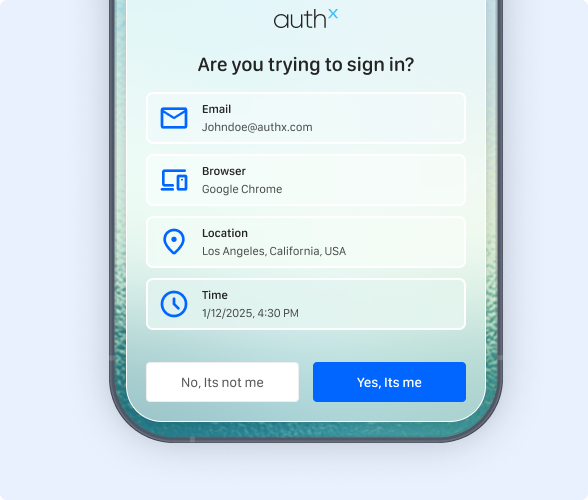
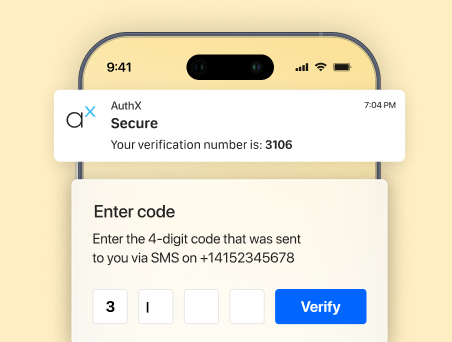
Manage Notifications on Your Devices
Multi-Factor Authentication (MFA) without Mobile Phones
Receive an OTP either through SMS, Phone Call, or via the AuthX mobile app. You can also enroll third-party authenticator codes in the AuthX mobile app for a more seamless login method.
Time-based One-time password
To provide better security, AuthX mobile authentication solutions offer a Time-based One Time Password (TOTP) option for secure access to workstations
SMS
AuthX mobile authentication allows users to perform seamless login to workstations with OTP via text messages to their registered mobile number.
Phone call
With AuthX mobile app authentication, receive a call on your registered mobile number, where an automated voice will let you know the OTP, allowing you access to secure authentication process
Push Authentication
Confirm logins with push notifications to your device using the AuthX mobile app. With a simple tap, you can verify every log-in attempt for your web accounts & desktop access.
To add another layer of security, register your face with AuthX to enable mobile biometric authentication via push notifications as well. Don’t limit yourself to traditional mobile authentication factors with AuthX notification login solutions.
Users can combine push notifications with various forms of mobile authentication for added security.
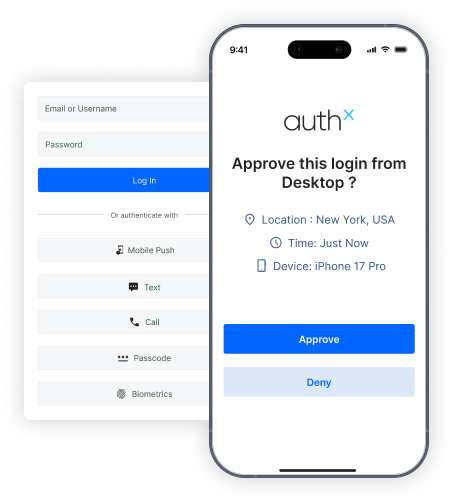
Benefits of Push Notification
Quick and simple to use.
Users can approve login requests instantly with a single tap on their mobile device. Push authentication removes the need to manually enter OTPs, making the login process faster, easier, and more convenient for users.
Password fatigue is no longer an issue.
Push notifications reduce reliance on passwords by enabling secure approval-based authentication. Users simply verify their identity through a notification, minimizing password resets and eliminating password fatigue.
Authenticate through existing mobile devices.
Users can securely authenticate using their existing smartphones without requiring additional hardware tokens. Push notifications provide a seamless and secure authentication experience across devices and platforms.
Simplify Authentication With the AuthX Mobile App
Secure your on-prem and cloud applications with your device using a range of authentication factors. With AuthX Single Sign-On (SSO) and the AuthX mobile app, you can authenticate from anywhere.
Download today to start authenticating anytime, anywhere with a simple push to your mobile device.


Let’s Get to Know You
Frequently Asked Questions
How does mobile authentication work?
What is the difference between passwords and biometric authentication?
Passwords are sometimes only numerical; in which case they are called PINs or Personal Identification Numbers. Biometric authentication involves verifying an individual’s identity by using their unique biological characteristics, including fingerprints and facial recognition.
Explain Time-Based One-Time Password (TOTP)?
The Time-Based One-Time Password (TOTP) generator is basically a hardware key fob or software token. It generates one-time passcodes by using an authentication server at the current time. You can only use the passcode for a limited amount of time before it expires.
What is RFID?
How to lock and unlock systems through a mobile app?
With AuthX’s Mobile Enabled Desktop Access (MEDA) solution, you can unlock and lock your desktop with the tap of a button on the AuthX mobile app.